Home › Text messages

Text message program
Text messages from The Living Bread
The Living Bread is a free Christian community and prayer app run by an independent nonprofit. Text messages are a last resort for an adult member who cannot receive a notification on a phone: we text only when something has happened for that person, such as someone praying for them or a letter arriving, and only after they have asked us to and proved the number is theirs.
Who sends these texts
The texts are sent by The Living Bread, a nonprofit in Seattle, Washington, United States (EIN 33-1848176; mailing address 1414 10th Avenue, Seattle, WA 98122-4385, United States). The website is living-bread.org and the apps are The Living Bread on the App Store and Google Play. Questions go to support@living-bread.org. The organization is described on the organization verification page and in About.
What the program is, in short
- Opt in only. Nobody is ever added. A member types their own mobile number in the app, and a six digit code we text to that number proves it is theirs before anything is stored.
- Adults only. A member whose age is not known to be adult cannot turn texts on.
- Two kinds of message. One when someone prays for the member, one when a letter has arrived for them. Nothing else, and no marketing, no promotions, no fundraising, no surveys.
- At most 3 a day. Quiet hours and the member’s own notification mode still apply.
- No names and no one’s words. A text never carries a name or anything a person wrote, so nothing private shows on a lock screen.
- Stop any time. Reply STOP to any text, or turn it off in Settings. Reply HELP for help.
How a person opts in, step by step
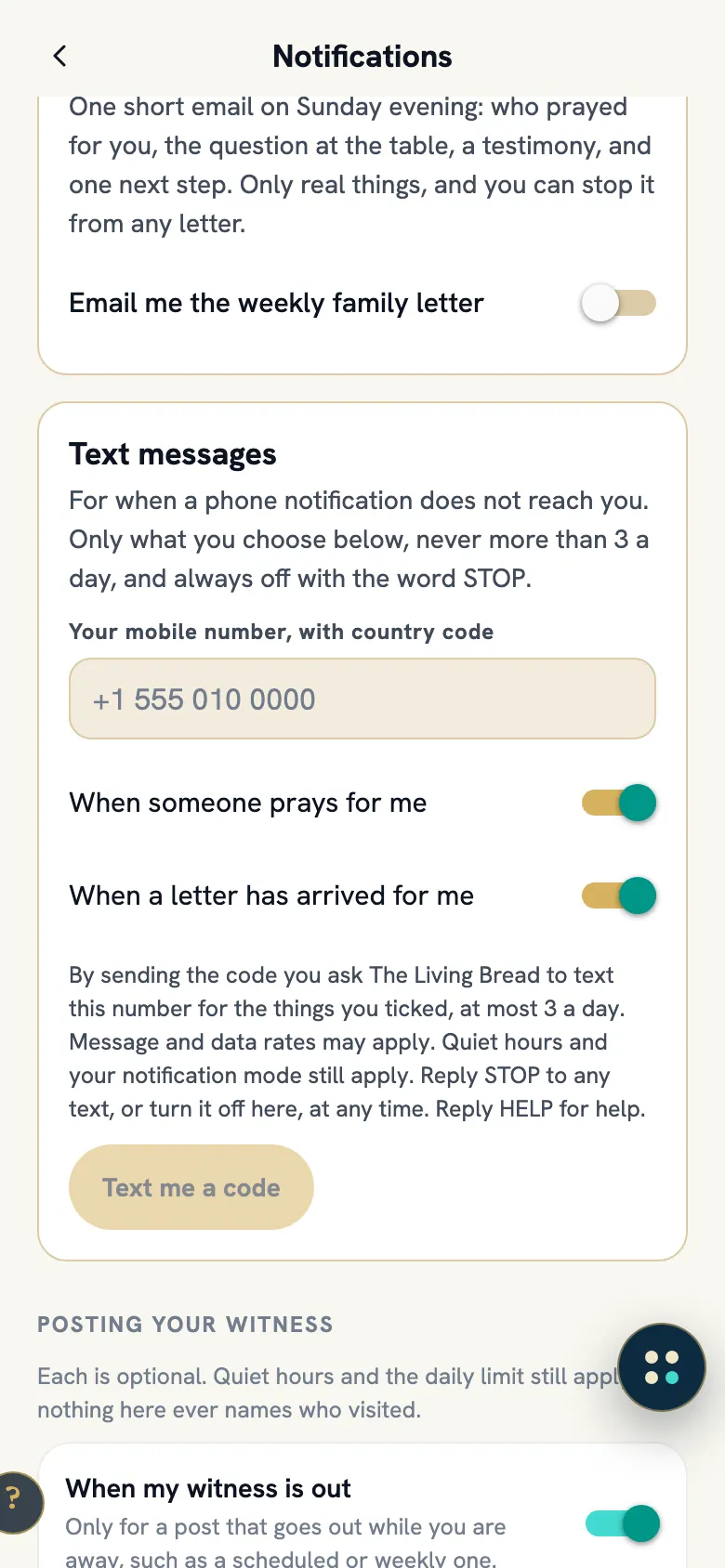
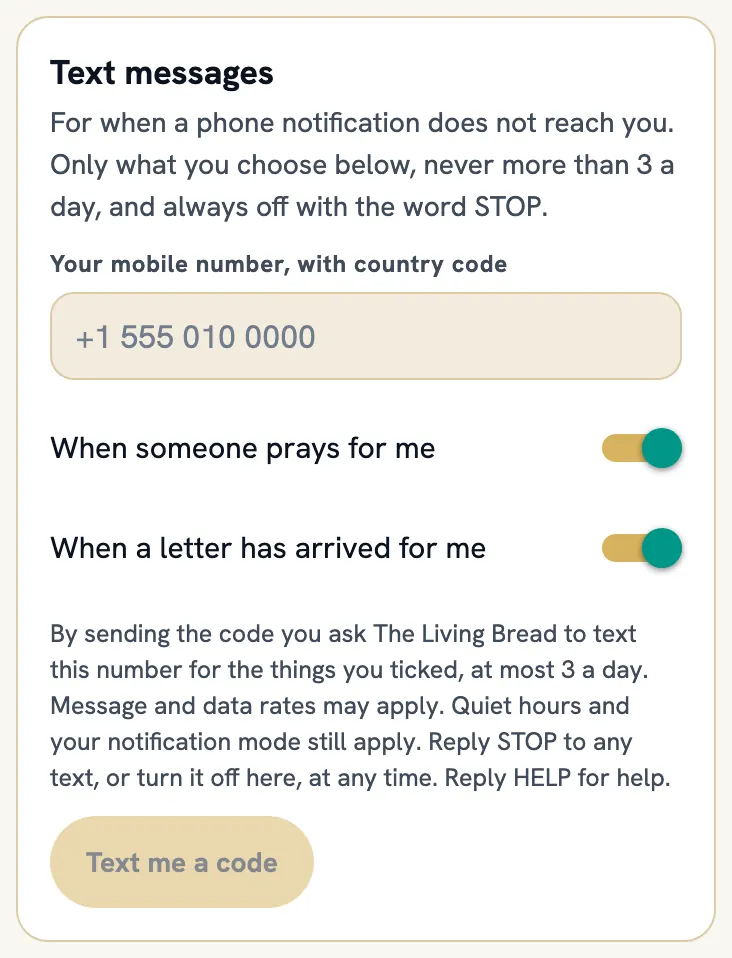
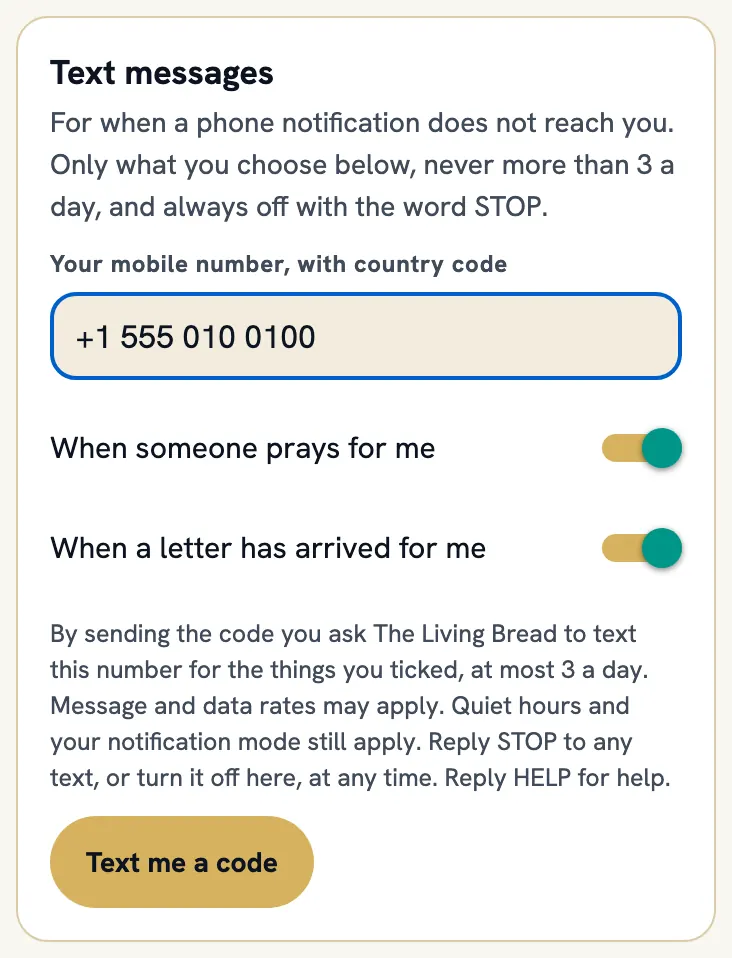
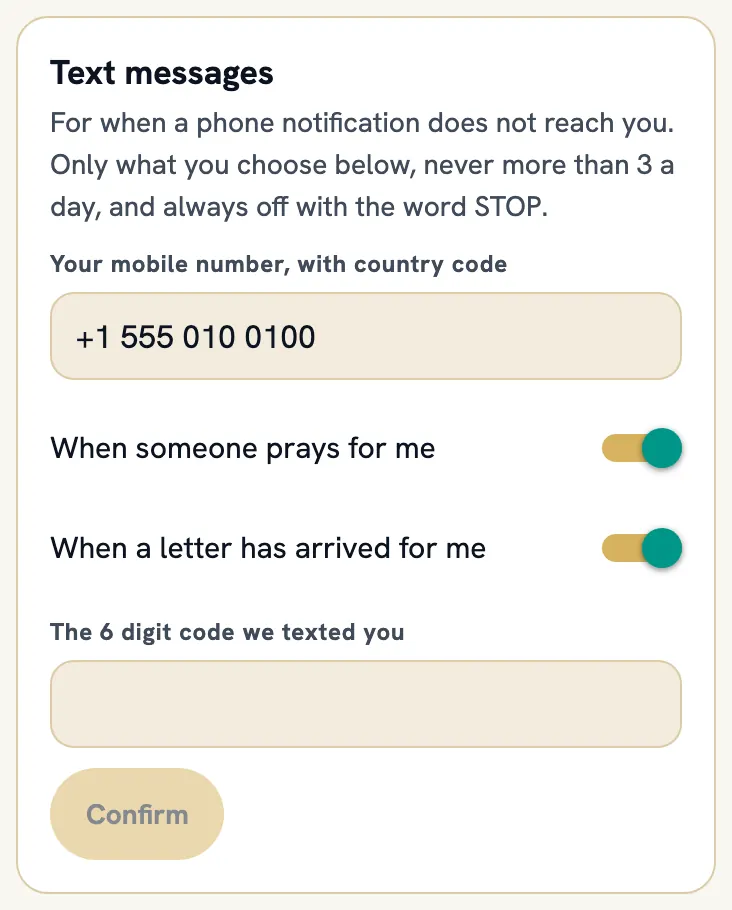
This is the only way a number is ever added to the program. The screens below are photographs of the real app screen (Settings, then Notifications, then Text messages), shown with a fictional number. The card only appears for a signed in adult member, which is why it cannot be seen without an account; this page shows it to everyone.
- The member signs in to The Living Bread and opens Settings, then Notifications. The Text messages card is there. No number is stored and nothing is sent until the member completes the steps below.
- The member chooses what they want to receive, using two switches that are separate from each other and from any push notification.
- The member reads the consent wording shown directly above the button, and types their own mobile number with its country code.
- The member taps Text me a code. That tap is the request and the consent. We text a six digit code to that number.
- The member types the code into the app and taps Confirm. Only then is the number saved, and we record the consent with its time. A confirmation text is sent once (shown below).
The words of the card
The card begins with this line:
For when a phone notification does not reach you. Only what you choose below, never more than 3 a day, and always off with the word STOP.
The two choices are labelled:
- When someone prays for me
- When a letter has arrived for me
The exact consent wording
Directly above the Text me a code button, the member sees this, word for word:
By sending the code you ask The Living Bread to text this number for the things you ticked, at most 3 a day. Message and data rates may apply. Quiet hours and your notification mode still apply. Reply STOP to any text, or turn it off here, at any time. Reply HELP for help.
The messages we send
There are four texts in total. Each is plain text, one message long, and ends with how to stop.
1. The code the member asks for (sent once, when they tap Text me a code)
The Living Bread: your code is 123456. It expires in 10 minutes. Reply STOP to end messages, HELP for help.
2. The confirmation (sent once, when the code is confirmed)
The Living Bread: you are signed up for texts when someone prays for you or a letter arrives. At most 3 a day. Msg and data rates may apply. Reply HELP for help, STOP to end.
3. When someone prays for the member
The Living Bread: someone in your family prayed for you. Open the app to see. Reply STOP to end, HELP for help.
4. When a letter has arrived for the member
The Living Bread: a letter has arrived for you. Open the app to read it. Reply STOP to end, HELP for help.
STOP, HELP and START
STOP. Reply STOP (or UNSUBSCRIBE, CANCEL, END or QUIT) to any text. We stop at once, delete the number, and cancel anything waiting. We reply:
The Living Bread: you are unsubscribed and will get no more texts from us. Turn them on again any time in Settings in the app.
HELP. Reply HELP and we reply:
The Living Bread: texts when someone prays for you or a letter arrives. Help: support@living-bread.org or living-bread.org. Msg and data rates may apply. Reply STOP to end.
START. A text never turns messages back on by itself. If someone replies START we reply:
The Living Bread: to get texts again, turn them on in Settings in the app. We never text without your say so.
The only way to opt in again is the steps above, in the app, with a new code.
How often, and what it costs
At most 3 texts a day, and usually far fewer: one only when something has happened for the member. Message and data rates may apply, according to the member’s own mobile plan. The Living Bread charges nothing for texts. Carriers are not liable for delayed or undelivered messages.
How to opt out, any time
- Reply STOP to any text from us.
- Or open Settings, then Notifications, then Text messages, and tap Turn off text messages and delete my number. The number is deleted.
- Or write to support@living-bread.org and we will remove it for you.
Declining or stopping texts never affects the rest of the app. Everything the member would have been texted about is still waiting for them in the app.
Your number and your privacy
The number is encrypted where we keep it, and a separate one way hash is used for lookup, in tables no app user can read. We use it only to send the texts described on this page. No mobile information is shared with third parties or affiliates for marketing or promotional purposes. Text messaging opt in data and consent are not shared with anyone for their marketing either, and we never sell or rent a phone number. Our messaging provider, Twilio, carries the messages for us as a service provider. The full policy is the Privacy Policy. The Terms of Service apply to the whole app, and the text message terms are on this page and at living-bread.org/legal/sms.
Why we text at all
Most members are reached by a push notification in the app, and that is always preferred. A text exists for the person with no phone that can receive one, such as an older member on a basic phone, so that a prayer offered for them, or a letter written to them, is not missed. It is a way of saying that someone in the family of God thought of you. It is never a way to pull anyone back into the app.
Contact
The Living Bread, 1414 10th Avenue, Seattle, WA 98122-4385, United States. Email support@living-bread.org, or reply HELP to a text from us. Written and reviewed by Emeka Alozie, Founder and CEO.
